
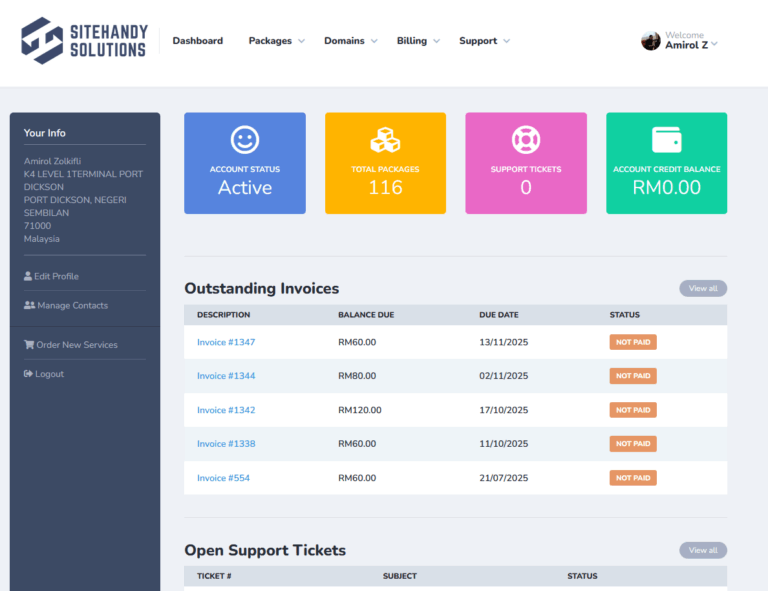
We’ve recently migrated our billing system from WHMCS to Clientexec. Please take note of the following important updates and instructions.
All existing clients must reset their password before logging in for the first time.
Steps to reset your password:
Local payment options are currently under development. For now, payments can be made via Stripe or Manual Bank Transfer.
Manual Bank Transfer Details:
After making payment, please email your payment proof to [email protected] for verification.
If your service appears as renewed, suspended, pending or any incorrect information such as:
Please contact our support team and we’ll update your records accordingly.
You can log in directly to your hosting control panel from your account.
How to access:
This provides one-click access to your hosting account. no need to remember separate login credentials.
Q: Do I need to register a new account?
A: No. All accounts have been migrated. You only need to reset your password before logging in.
Q: My invoice looks different. Is this normal?
A: Yes. The layout and numbering format have changed due to the new billing system.
Q: Can I still access old invoices from WHMCS?
A: No, but the same records can be found on the Invoice page. Only the invoice design has changed to the new layout from our updated billing system.
Q: Will my hosting services be affected by this migration?
A: No. Your hosting and domain services remain active as usual.
If you experience any issues, please contact us via our Contact Page or submit a ticket through the Support Portal.
